
Critical PHP Flaws CVE-2026-109618 and CVE-2026-109619: What Website Owners Must Do Now
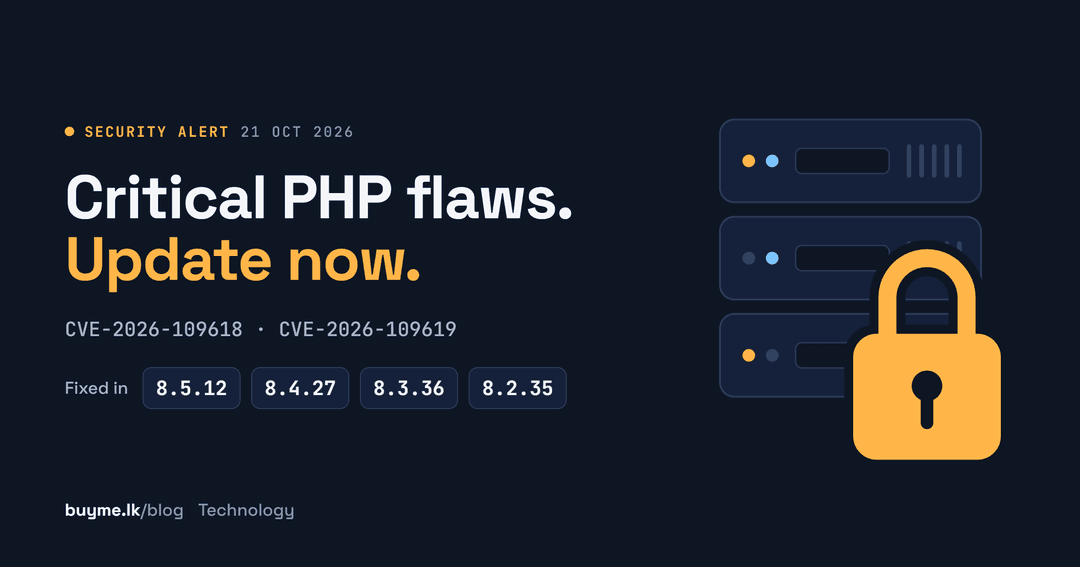
Updated 22 October 2026. Based on the official PHP security advisory published on php.net on 21 October 2026.
The PHP team has released emergency updates for every supported branch of PHP. PHP 8.5.12, 8.4.27, 8.3.36 and 8.2.35 fix two critical vulnerabilities that can let an attacker run their own code on a web server without logging in (php.net).
PHP powers WordPress, WooCommerce, Laravel and a huge number of custom business websites. If your website runs on PHP, treat this as urgent.
In one line: if your site runs PHP, update to 8.5.12, 8.4.27, 8.3.36 or 8.2.35 today, or ask your host to confirm they have.
What happened
- 20 October 2026: the PHP security team gave advance notice of a critical release, saying both vulnerabilities were rated 9.2 on the CVSS v4.0 scale (php.net).
- 21 October 2026, 14:00 UTC: PHP 8.5.12, 8.4.27, 8.3.36 and 8.2.35 were released with a security advisory urging all PHP users to update immediately.
The two vulnerabilities in plain English
CVE-2026-109618: code execution through out-of-memory corruption
If PHP runs out of memory at the wrong moment, it can stop while internal request data is only partly set up. The clean-up step may then treat that broken data as valid (GHSA-w8hw-w9fx-j79w).
CVE-2026-109619: code execution through stale data
Internal data belonging to one request can survive after its memory has been freed. A later request handled by the same PHP worker may then use that stale data before it is reset (GHSA-6wmf-4rv5-p3rp).
Why these are serious
Both flaws can be triggered without a password. The PHP team rates the risk highest for Apache with mod_php, where a demonstrated attack runs before any of your website's own code does. That means a well-built application, plugin or theme cannot protect you. Only updating PHP itself fixes the problem.
Who is affected
The advisory covers every PHP installation that serves web requests, including:
- PHP-FPM, the usual setup with Nginx
- Apache with mod_php
- php-cgi
- FrankenPHP
- LiteSpeed
That covers WordPress and WooCommerce sites, Laravel and other PHP apps, whether they run on shared hosting, a VPS or in containers.
The fixed versions
- PHP 8.5: update to 8.5.12
- PHP 8.4: update to 8.4.27
- PHP 8.3: update to 8.3.36
- PHP 8.2: update to 8.2.35
Treat any earlier release on these branches as vulnerable.
Running PHP 8.1 or older?
PHP 8.1 and older no longer receive updates from the PHP project. Some Linux distributions and long-term support vendors backport fixes, so check with yours. Because the flaws are so severe, the PHP team also published minimal source patches for PHP 7.4, 8.0 and 8.1 for people who build PHP themselves. The lasting fix is moving to a supported version.
How to check your PHP version
Check the version your website actually uses, which can differ from the one shown on the command line.
- WordPress: go to Tools → Site Health → Info and open the Server section.
- Shared hosting: look in your control panel's PHP settings, or ask your host for the exact version number, such as 8.4.27 rather than just 8.4.
- Laravel: run `php artisan about` on the server.
- Server command line: `php -v` shows the command-line PHP. Your web server's PHP-FPM or Apache module can be a separate package, so check that too.
Never leave a public `phpinfo()` page on your site to check the version. It tells attackers exactly what you run.
How to update
On shared hosting
Your host controls PHP updates. Ask them to confirm the fixed version is installed for your account, and ask for the exact version number.
On a VPS or dedicated server
- Install the updated PHP packages from your Linux distribution or the repository you use. The PHP team says distributions and LTS vendors received the patches in advance.
- Restart PHP-FPM, Apache or LiteSpeed so every worker loads the new version.
- Check the version again on every server and site, including staging.
In Docker or other containers
Rebuild your images on the fixed PHP version and redeploy them. Restarting an old container does not update PHP.
Plan your next upgrade too
PHP 8.2 stops receiving security fixes on 31 December 2026. PHP 8.4 gets security fixes until 31 December 2028, and PHP 8.5 until 31 December 2029 (php.net).
Can't update today? Temporary steps, not a fix
The PHP team is clear that only an update is a complete solution. These steps from the advisory reduce exposure to specific attack paths while you schedule the update:
- Turn off session upload progress with `session.upload_progress.enabled=0` in php.ini or your PHP-FPM pool configuration, then restart every PHP worker. Setting it with `ini_set()` or a `.user.ini` file does not help.
- Lower `post_max_size`. The advisory suggests 8M if your site takes no file uploads, or 32M if it does, and keeping `upload_max_filesize` below it.
- Set request limits at your web server, reverse proxy or firewall, covering request size, form fields, multipart parts, headers and nesting depth.
- On PHP 8.5, set `fatal_error_backtraces=0` and restart every worker.
The full advisory lists more measures, including memory-limit settings, and explains their trade-offs.
After you update: a five-minute checklist
- Confirm the new version on every site and server, including staging.
- Update your CMS core, plugins, themes and Composer packages.
- Review server and application logs for anything unusual, such as unexpected crashes or new admin accounts.
- If anything looks suspicious, change admin and hosting passwords and turn on two-factor login.
- Set a reminder to move off PHP 8.2 before 31 December 2026.
Don't forget the laptop you manage your site from
A patched server is only half the job. The computer you use to log in to your hosting panel or website admin holds the keys to everything, so it needs security updates too.
Windows 10 reached end of support on 14 October 2025. Home users can keep getting critical security updates until 12 October 2027 by enrolling in Microsoft's Extended Security Updates programme under Settings → Update & Security → Windows Update (Microsoft). After that date, a Windows 10 PC gets no more fixes.
If your work laptop can't run Windows 11, now is a good time to plan a replacement. Browse laptops and other computers in Electronics on buyme.lk. Upgrading? Wipe your old device properly, then post your ad on buyme.lk to sell it.
Frequently asked questions
What are CVE-2026-109618 and CVE-2026-109619?
They are two critical PHP vulnerabilities disclosed on 21 October 2026. Both can allow remote code execution without authentication, and both are rated 9.2 on the CVSS v4.0 scale.
Which PHP versions fix them?
PHP 8.5.12, 8.4.27, 8.3.36 and 8.2.35. Treat earlier releases on those branches as vulnerable.
Is my WordPress site affected?
Every WordPress site runs on PHP, so yours is at risk until its PHP is updated. Updating WordPress or plugins alone does not fix this.
I'm on PHP 8.1 or older. What should I do?
The PHP project no longer updates those versions. Check whether your Linux distribution or LTS vendor offers a backported fix, and plan an upgrade to PHP 8.4 or 8.5.
Is there a workaround if I can't update?
The advisory lists temporary measures, such as disabling session upload progress and lowering `post_max_size`. They reduce exposure to specific attack paths but do not make a server safe.
Are these vulnerabilities being exploited?
The advisory does not report attacks in the wild. It does say an exploit has been demonstrated against Apache mod_php setups, so update now rather than waiting.
This article is general information for website owners. Follow your hosting provider's or Linux vendor's guidance for your specific setup.